My son wants his first mobile phone: where do I start?
There comes a time in many families when the same request is made: “Mum, Dad, I want a mobile phone”.
And with it come the doubts. Is it too soon? What’s the right age? Do they need WhatsApp, YouTube, social media or a web browser? How can we give them independence without suddenly opening the door to everything the internet has to offer?
The answer doesn’t have to be ‘all or nothing’. If it isn’t necessary, it’s best to delay getting their first mobile for as long as possible. And when the time finally comes, another good strategy is to start with the bare minimum.

Their first mobile doesn’t have to be a ‘do-it-all’ phone
Having a smartphone doesn’t mean a child immediately needs access to hundreds of apps, social media platforms, videos, games and websites.
In fact, a simple way to approach this is to ask yourself first: what do they actually need the mobile for?
Perhaps the answer is to be able to ring their parents when they’re out on their own, to keep in touch with the family, to use a specific app, or to have a way of being tracked when necessary.
If those are their needs, why give them everything else as well?
The idea of ‘keeping it to a minimum’ allows the first mobile phone to be a gradual step towards greater independence, rather than turning it, from day one, into a gateway to unlimited internet access.
What if a mobile phone only had the bare essentials?
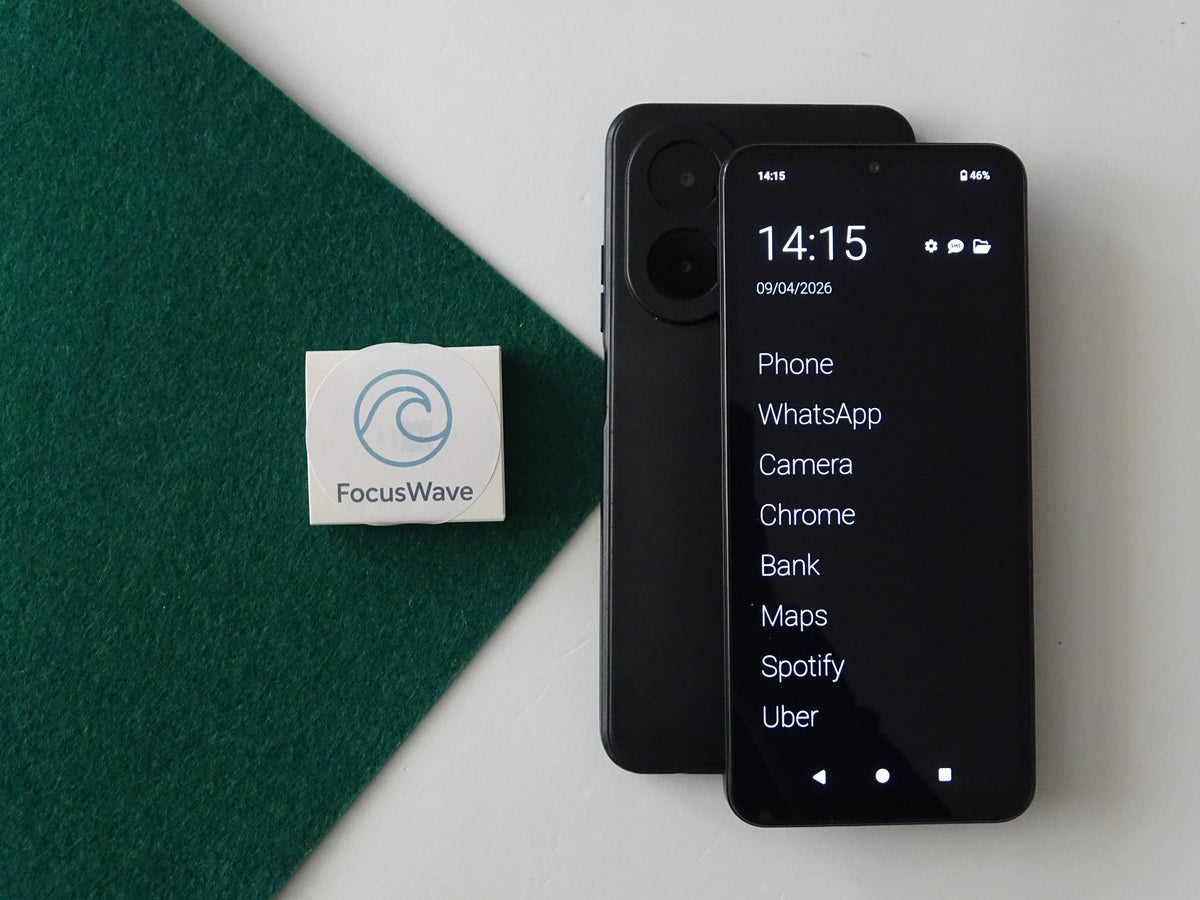
That is precisely the approach taken by FocusPhone.
When you buy it, you can choose which apps are necessary for your child and set up the device so that it only has those tools, preventing everything else from appearing.
It’s not simply a matter of installing parental controls after handing over a conventional smartphone. The idea stems from a different question:
What does my child really need on their first mobile phone?
And from there, add only what is necessary.
You can even do without the web browser
The internet is one of the biggest concerns when a child starts using a smartphone.
With FocusPhone, it’s possible to use the device without a web browser. If a browser is needed, it can also be used with automatic content blocking to restrict access to content that isn’t suitable for children.
This way, each family can decide what level of access they need.
Parental controls and app blocking
For families who want to maintain greater control, FocusPhone is compatible with tools such as Google Family Link, Qustodio or any other of your choice.
It also has its own app blocker, which allows you to restrict which apps can be used on the phone.
This can be particularly useful for setting limits gradually. The aim doesn’t have to be to monitor every minute of usage, but rather to create a suitable environment whilst the child learns to use their mobile responsibly.
A button to call for help
There is a feature that can be particularly useful when the main reason for buying a child’s first mobile is safety.
Focus Phone features an emergency button that allows the child to call a pre-selected contact.
The idea is simple: if the child finds themselves in a situation where they need help, they have a quick way to contact the person the family has designated.
It can also include remote geolocation
For some families, knowing where their child is when they’re out on their own brings peace of mind.
Focus Phone also offers the option of remote geolocation, so that parents can check their child’s location when this feature is set up and available.
As with any tracking tool, it is advisable to talk to the child about how it works and to establish clear rules about when and for what purpose it should be used
Fewer apps, more guidance
Giving a child their first mobile phone shouldn’t mean they have to learn how to manage all the features of a smartphone all at once.
It may be easier to approach it as a process:
- First, the features they actually need.
- Then, learning to use them responsibly.
- Over time, assess whether it makes sense to add new apps or services.
- And always accompany this process with conversations about privacy, security, contacts, passwords and digital behaviour.
Because the issue isn’t just about which mobile to buy, but how to support a child as they enter the digital world.

So, where do I start?
If your child is asking for their first mobile, perhaps the first step isn’t to buy one.
Start by asking yourself whether they really need one right now. If you can wait, waiting is also an option.
And when the time comes, there’s no need to activate everything from day one. You could consider a first mobile with only the essential apps, without a browser or with protected browsing, featuring parental control tools, app blocking and safety features such as an emergency button and geolocation.
In short, a child’s first mobile phone doesn’t have to be a smartphone with no limits.
It can simply be a tool to help them gain independence bit by bit, with the features they need today and leaving everything they don’t yet need for later.
Discover FocusPhone and customise your first mobile phone to suit your needs